


Table of contents
Map View
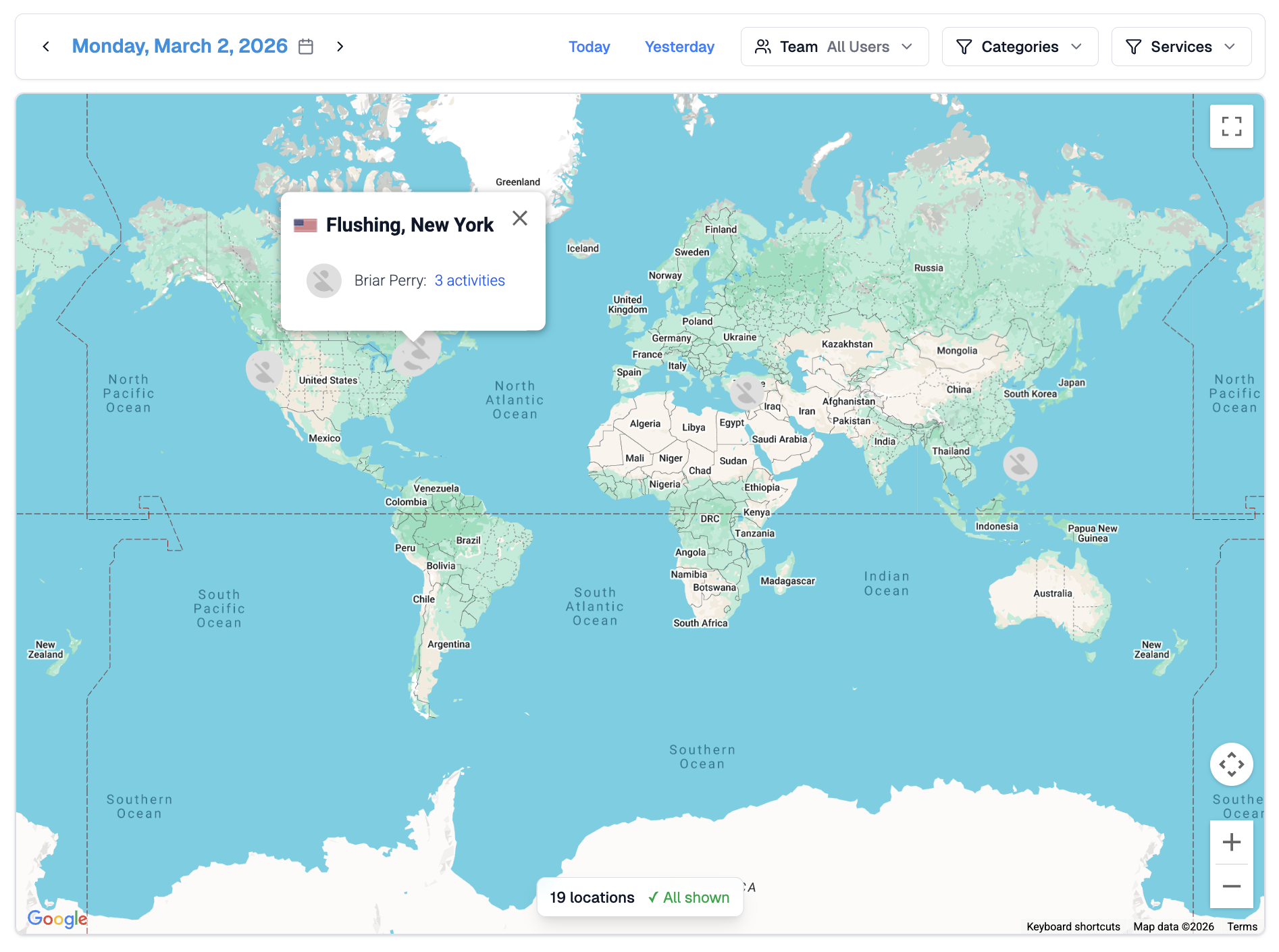
The Map View gives you a geographic snapshot of where work took place on a selected day. Each location pin on the map represents a team member whose activity was tracked from that area, based on IP address data from their connected services.
You can reach it from Activities → Map in the top navigation.
How Location Works
Instead of device-based tracking, WorkSights uses IP address metadata from connected services to estimate where work happened. Location is inferred from the IP address associated with each activity, which reflects the network the person was connected to at the time.
Not all activity types include IP data, and some IP addresses belong to cloud infrastructure rather than actual user locations. WorkSights filters out known datacenter IPs to keep the map focused on real work locations.
Location is approximate. It typically resolves to city level and should be read as a general indicator rather than a precise address.
Interacting with the Map
User avatars appear as pins at their estimated location for the selected day. Clicking any pin opens a popover showing the person's name and a count of activities recorded from that location. You can use the zoom controls to move around the map and explore specific areas.
The date and filter bar at the top works the same way as the rest of the Activities section. Use Today and Yesterday for quick navigation, or the calendar to select any past date. Filter by Team, Categories, or Services to focus the map on a specific group or activity type.
Why It Matters
For distributed and remote teams, the Map View makes geography visible without requiring anyone to report their location manually. It is particularly useful for understanding where work is actually happening across time zones and regions.
It has also proven practically valuable for compliance purposes — flagging when team members are working from unexpected locations, which can have implications for insurance, tax, and workers' compensation obligations.
Related Guides
Activity Dashboard — team-wide activity and scores by day
Activity Detail — full breakdown of individual activity events
Connected Services — ensuring integrations are active and sending location data