


Table of contents
Toggl Track Setup
WorkSights connects to Toggl Track using an API token from your Toggl profile. Setup takes a few minutes and can be completed by any team member with access to their Toggl account.
For an overview of how Toggl Track activity appears in WorkSights, see Toggl Track Overview.
Connecting Toggl Track
Step 1: Get your API token from Toggl Track
- Go to your profile at track.toggl.com/profile
- Scroll to the bottom of the page
- Copy your API token

Step 2: Connect in WorkSights
- Go to Services in the top navigation
- Find Toggl in the list and click Connect
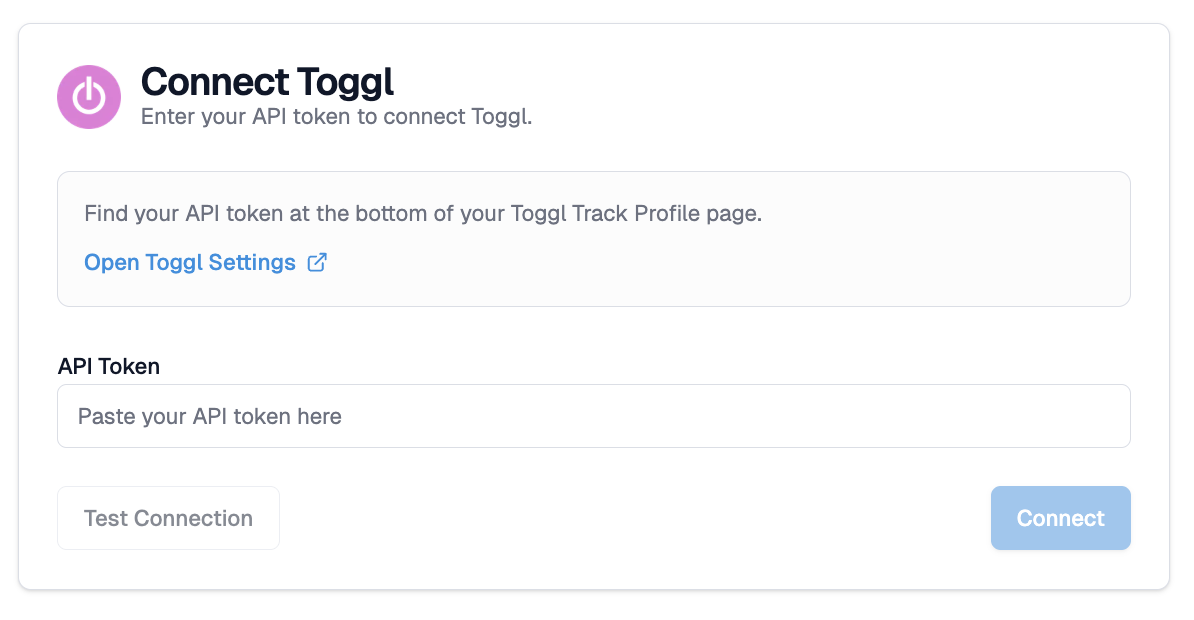
- Paste your API token into the token field
- Click Test Connection
WorkSights validates the token before allowing you to proceed. The Connect button activates only after validation passes.
Step 3: Select your workspace
If your Toggl account has more than one workspace, WorkSights will ask you to select which one to connect. Choose the workspace you want to add.
To connect additional workspaces, repeat this process from the Services page using the same API token and select a different workspace each time.
- Click Connect
WorkSights creates the webhook subscription automatically. No additional steps are required in Toggl.
Step 4: Review user mapping
WorkSights imports your Toggl Track team members and matches them to WorkSights users by email address.
Open the Users tab to review mappings. For any user that did not map automatically, select the correct WorkSights user from the dropdown to complete the mapping.
Only mapped users will have their Toggl Track activity displayed in WorkSights.
What Happens Next
Once connected and users are mapped, WorkSights begins receiving Toggl Track time entries in real time as your team logs time.
Your API token does not expire, so there is no reconnect flow for Toggl Track. If you need to update your token, disconnect from Services and reconnect with the new one.
If your team uses multiple Toggl workspaces, connect each one separately from the Services page.
User mappings and connection settings can be reviewed and updated at any time from the integration page.