


Table of contents
Slack Setup
Slack can be connected from the Services section in WorkSights. Once connected, WorkSights begins showing Slack presence for your team, brings channel message activity into the activity stream, and makes WorkSights AI available as a conversational interface inside Slack.
Only Executives and Admins can connect or modify the integration.
Connecting Slack
Step 1: Start the Connection
- Go to Services in the top navigation.
- Find Slack in the list and select Connect Slack.
- Click Connect Slack
Step 2: Authorize WorkSights in Slack
You will be redirected to Slack to approve the requested permissions. WorkSights requests access to read channel information, join and manage public channels, read user profiles and email addresses for mapping, and send messages as the WorkSights bot.
Step 3: User Mapping
After the connection is established, WorkSights imports your Slack users and maps them automatically by email.
Open the Users tab to review mappings. For any user that did not map automatically, select the correct Slack account from the dropdown.
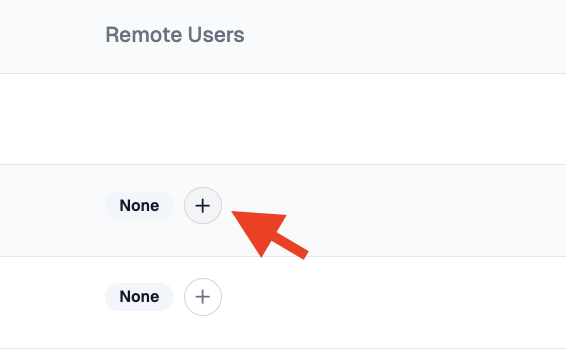
Accurate mapping ensures Slack presence appears for the right team member.
Step 4: Configure Channels
Open the Channels tab to control which channels WorkSights joins and what it ingests.
Channel scope:
- None - Presence only, no channel activity
- All Public Channels - WorkSights joins every public channel in your workspace
- Selected Public Channels - WorkSights loads your channel list. Check or uncheck channels to include or exclude them. Use the search bar to find channels quickly
Content level:
- Metadata only - Timing and authorship only. Message text is not ingested
- Full message content - Message text is ingested and available to WorkSights AI for context and analysis
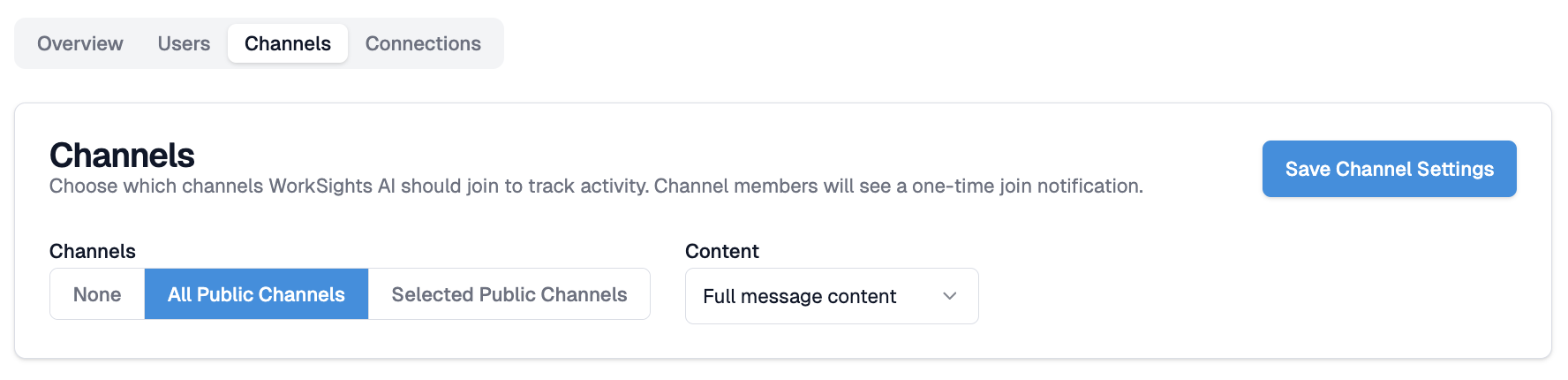
Select Save Channel Settings when done. Saving triggers WorkSights to join newly selected channels and leave any previously-joined channels that are no longer selected. Members will see a one-time join notification in each channel WorkSights joins.
Step 5: Refreshing an Existing Connection
If Slack was connected before channel features were introduced, the existing connection does not have the required permissions. To refresh:
- Open the Slack integration page from Services.
- Select Refresh Connection and re-authenticate with Slack.
- Once refreshed, return to the Channels tab to configure channel settings.
It may take a few minutes after refreshing before channel settings become active.
What Happens Next
Slack presence appears on your team's timelines within roughly 30 minutes of a successful connection. EU server workspaces do not have presence polling enabled at this time. Channel activity begins flowing in as messages are sent in joined channels and appears on the timeline within roughly 20 minutes. WorkSights AI is available in Slack as soon as the connection is saved.
User mappings and channel settings can be reviewed and updated at any time from the integration page.