


Table of contents
HubSpot Setup
HubSpot connects to WorkSights through OAuth. Once connected, HubSpot begins sending events to WorkSights in real time and an hourly sweep runs in the background to catch anything webhooks may have missed.
WorkSights supports multiple HubSpot accounts. To connect more than one, use the Add Additional option after the first connection is complete.
Only Admins, Owners, and Executives can initiate HubSpot connections.
For an overview of how HubSpot activity appears in WorkSights, see HubSpot Integration Overview.
Connecting HubSpot
Step 1: Start the Connection
- Go to Services in the top navigation
- Find HubSpot in the list
- Click Connect HubSpot

Step 2: Authorize WorkSights in HubSpot
You will be redirected to HubSpot to select the account you want to connect. After choosing the correct hub, approve the requested permissions. The HubSpot user authorizing the connection must have admin privileges in HubSpot. Without them, the connection cannot be completed.
To connect additional accounts, use the Add Additional button on the HubSpot integration page.

Step 3: User Mapping
WorkSights imports your HubSpot users and matches them to WorkSights profiles by email. Open the Users tab to review mappings. For any user that did not map automatically, select the correct WorkSights profile from the dropdown.
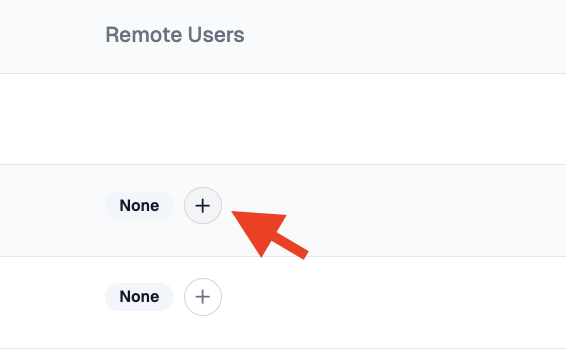
Only mapped users generate timeline activity in WorkSights.
Step 4: Feature Subscriptions
Open the Features tab to confirm the relevant features are active. CRM, Sales, Service, and Engagement are managed separately. A user needs the corresponding feature enabled to generate activity for that area of HubSpot.
What Happens Next
Once connected and users are mapped, WorkSights begins receiving HubSpot activity in real time. On first connect, WorkSights also backfills the last 30 days of CRM data, so historical contact, company, deal, and ticket activity will populate over the first processing cycles. Engagement activity is not backfilled automatically.
Activity appears on the timeline within roughly 20 minutes of occurring. Connection settings, user mappings, and feature subscriptions can be reviewed and updated at any time from the integration page.