


Table of contents
Connected Services
Connected Services shows every integration WorkSights supports, from Google Workspace and Microsoft 365 to GitHub, Slack, HubSpot, Zoom, and more. These integrations are the source of the activity signals WorkSights uses to generate Observer findings, daily reports, and answers to your chat questions.
Select Services in the top navigation to open the page.
The Services Grid
Each service appears as a card. The left sidebar lets you browse by category (Communication, CRM, Project Management, Timesheets, Support, Productivity, Developer), and the search bar at the top filters across every service by name.
A card shows the service logo, name, and a short description, along with:
- Status - Active means the connection is healthy and ingesting activity. Needs attention (orange) means the connection has reported a problem and has likely stopped ingesting until its reconnected.
- Users mapped - how many users detected in the service are matched to WorkSights team members, shown as mapped / total. Unmapped users represent activity WorkSights can see but cannot yet attribute to a person.
- Connected accounts - the badge on the lower right shows how many separate accounts of that service are connected. Most show 1 service; organisations running more than one instance show a higher count.
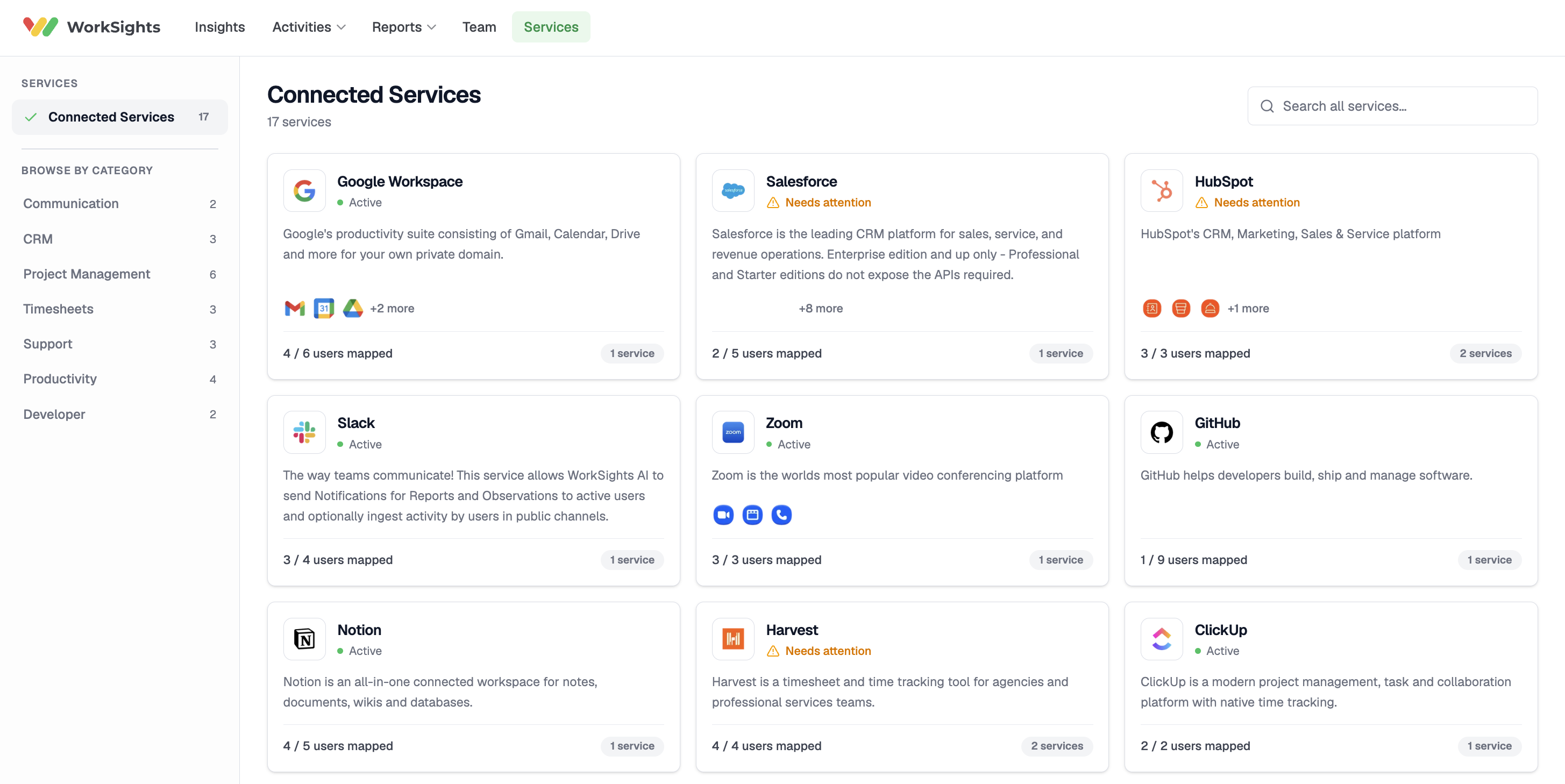
Some services, particularly Google Workspace, Microsoft 365, and Salesforce, ingest from several components called features, such as Gmail, Calendar, Drive, Teams, and Opportunities. The small icons on the card show which features are active, with a +N more indicator when there are additional ones. Features do not require separate authentication and are managed within the main service connection.
Opening a Service
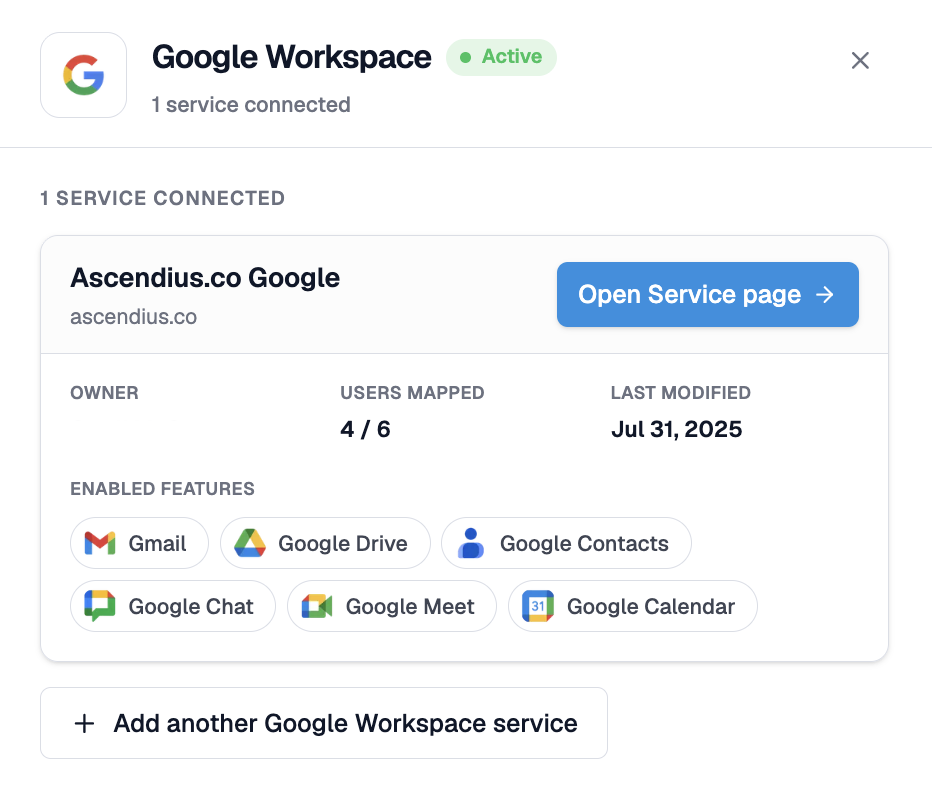
Click any card to open its detailed panel on the right. The panel lists each connected account for that service, with its owner, users mapped, and the date it was last modified, followed by the full set of enabled features.
From here you can:
- Open Service Details - go to the full page for that connection to manage features, users, and connection status
- Add another service - connect an additional account of the same service, useful for organisations running more than one instance.
Connecting a Service
Only Admins and Executives can authorise new connections. Complete the authorisation flow with the provider, and WorkSights begins processing activity from the service automatically. Where multiple accounts of the same service are connected, WorkSights merges the data intelligently to avoid duplicate activity imports.
When a Connection Needs Attention
A card marked Needs attention has reported a problem, for example an expired OAuth token, a connection owner who has left the organisation, or changed access permissions. Open the card to see the specific error. A typical message reads that the connection reported an error and needs to be reconnected to resume ingesting activity.
An admin with access to the original service account can reconnect it from the Service Details page to refresh the access tokens. Keeping the connections active ensures WorkSights has the activity data it needs to generate findings and reports. A connection that has stopped ingesting means a gap in what WorkSights can see.
If a connected service becomes unreachable, for example because a subscription has lapsed, a trial has expired, or a plan has been downgraded, WorkSights notifies the connection automatically. The notification arrives via Slack, email, or in-app depending on your notification preferences. To resume, check the subscription status with the service provider and reconnect from the Service page.
Related Guides
Service Details - managing features, users, and connection status for a specific integration
Connecting Google Workspace - connecting your Google environment
Connecting Microsoft 365 - connecting your Microsoft environment
Notification Settings - controlling how WorkSights alerts you when a connection needs attention