


Table of contents
Activity Stream
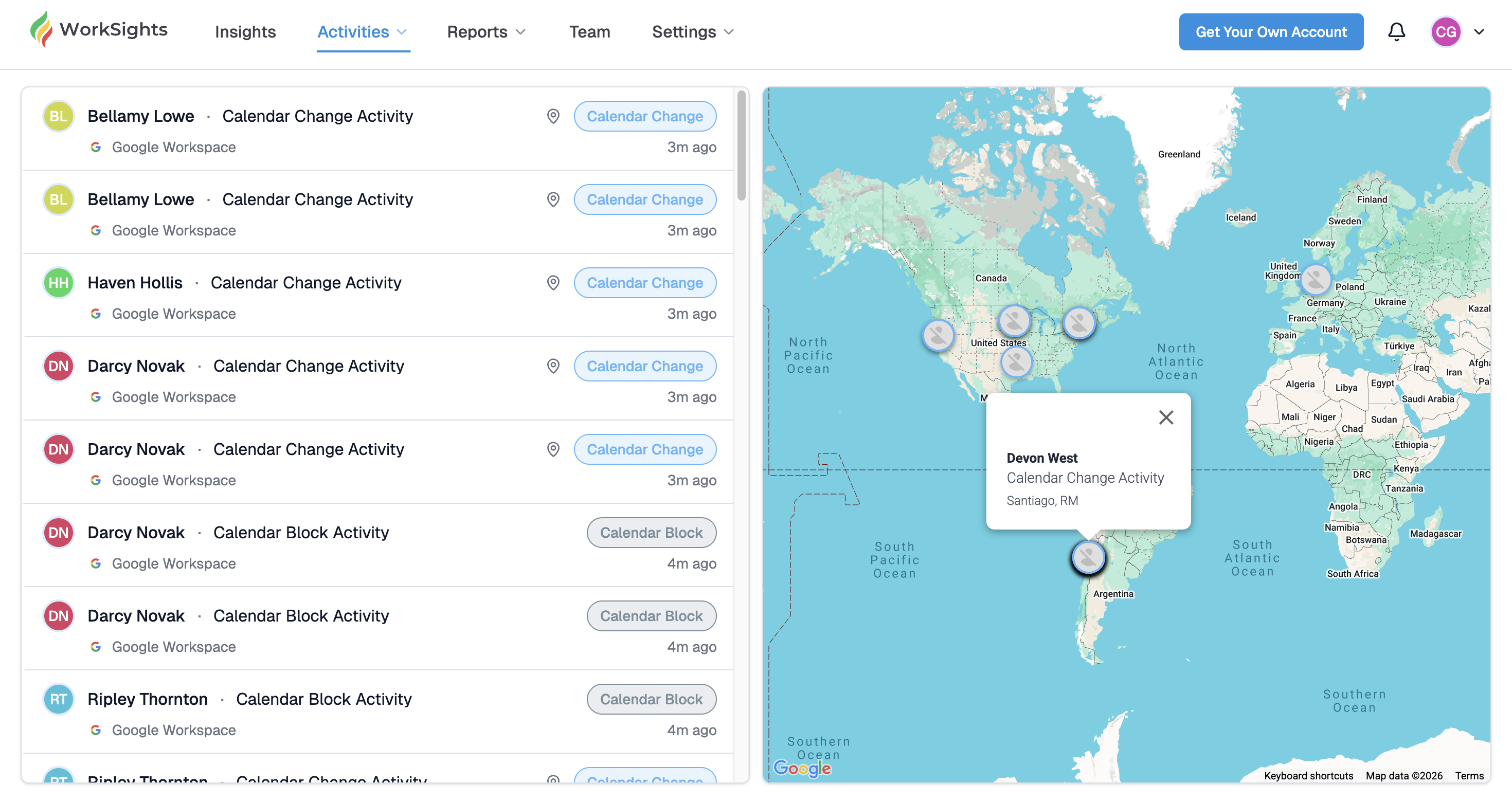
The Activity Stream gives you a live view of what your team is doing right now. As WorkSights processes activity from your connected services, new events appear at the top of the feed in real time. A map alongside the feed shows where those events are coming from.
You can reach it from Activities in the top navigation, then select Stream.
The Feed
The left panel shows a continuously updating list of activity events. Each row shows the user's avatar and name, the activity type, the service it came from, a location pin icon when location data is available, the activity category as a badge, and how long ago it happened.
Events appear newest first. Scroll down to see older activity.
The Map
The right panel shows a live geographic map. Each pin represents a user whose recent activity included location data. Clicking a pin opens a popover showing the user's name, the activity type, and their approximate location.
Location is based on IP address metadata from connected services. It is approximate and reflects the network the person was connected to, not a precise physical address.
What the Stream Is For
The Activity Stream is most useful when you want a real-time sense of what is happening across the business: not a historical review of a specific day, but a live read on who is active and where work is flowing right now. It is particularly useful for distributed teams where activity spans multiple timezones and regions.
Related Guides
Activity Dashboard - team-wide scores and timelines for a selected day
Map View - geographic snapshot of where work happened on a specific date
Activity Detail - full breakdown of one person's activity on a specific date